
Happy holidays.
3 months free.
A full year of Pro for $99.99.
Here's how to use your code.
How to apply your code
Three steps. About a minute.
1
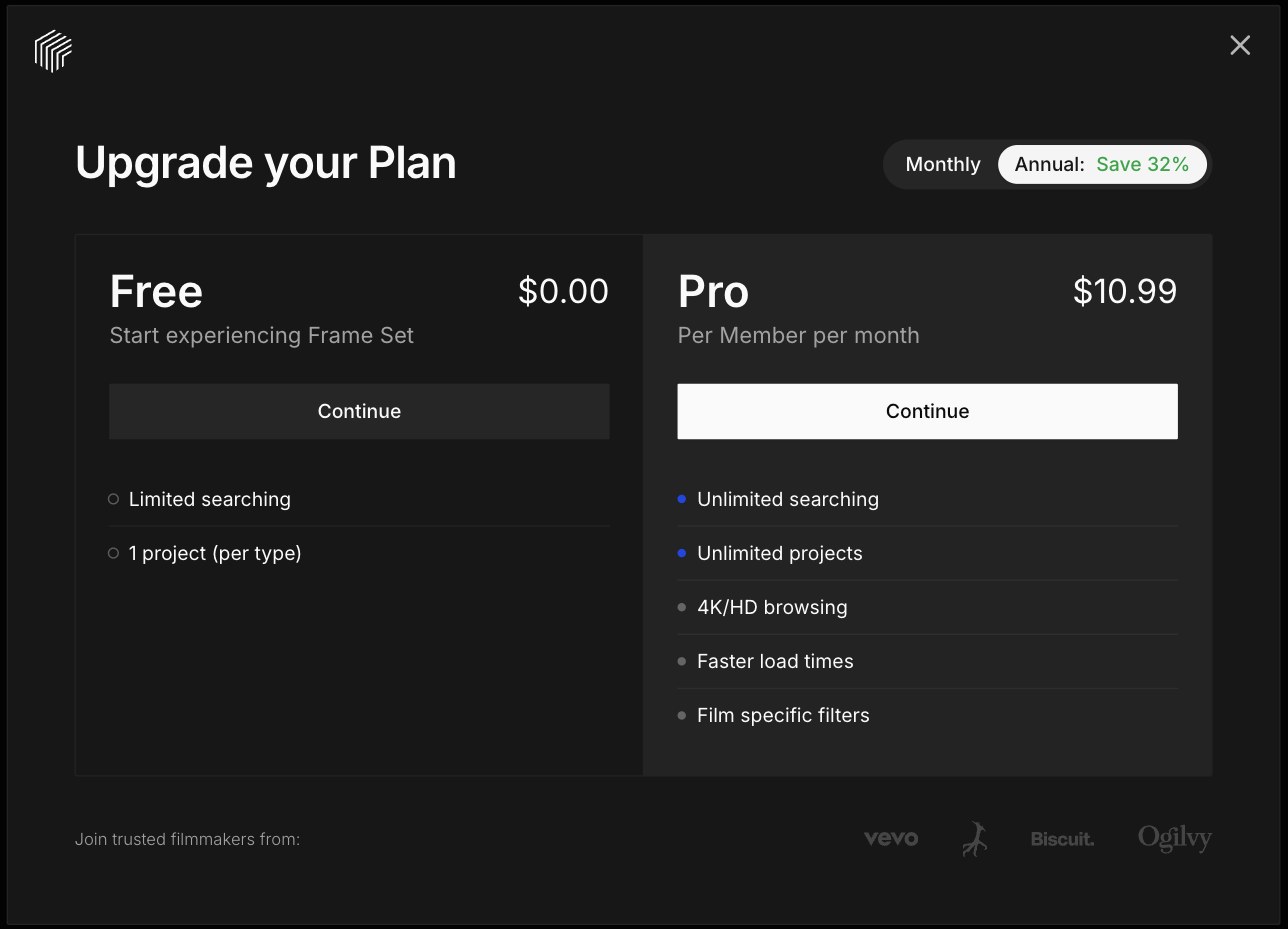
Choose Pro, Annual
- Tap Start upgrade above.
- Switch to Annual at the top.
- Tap Continue under Pro.
2
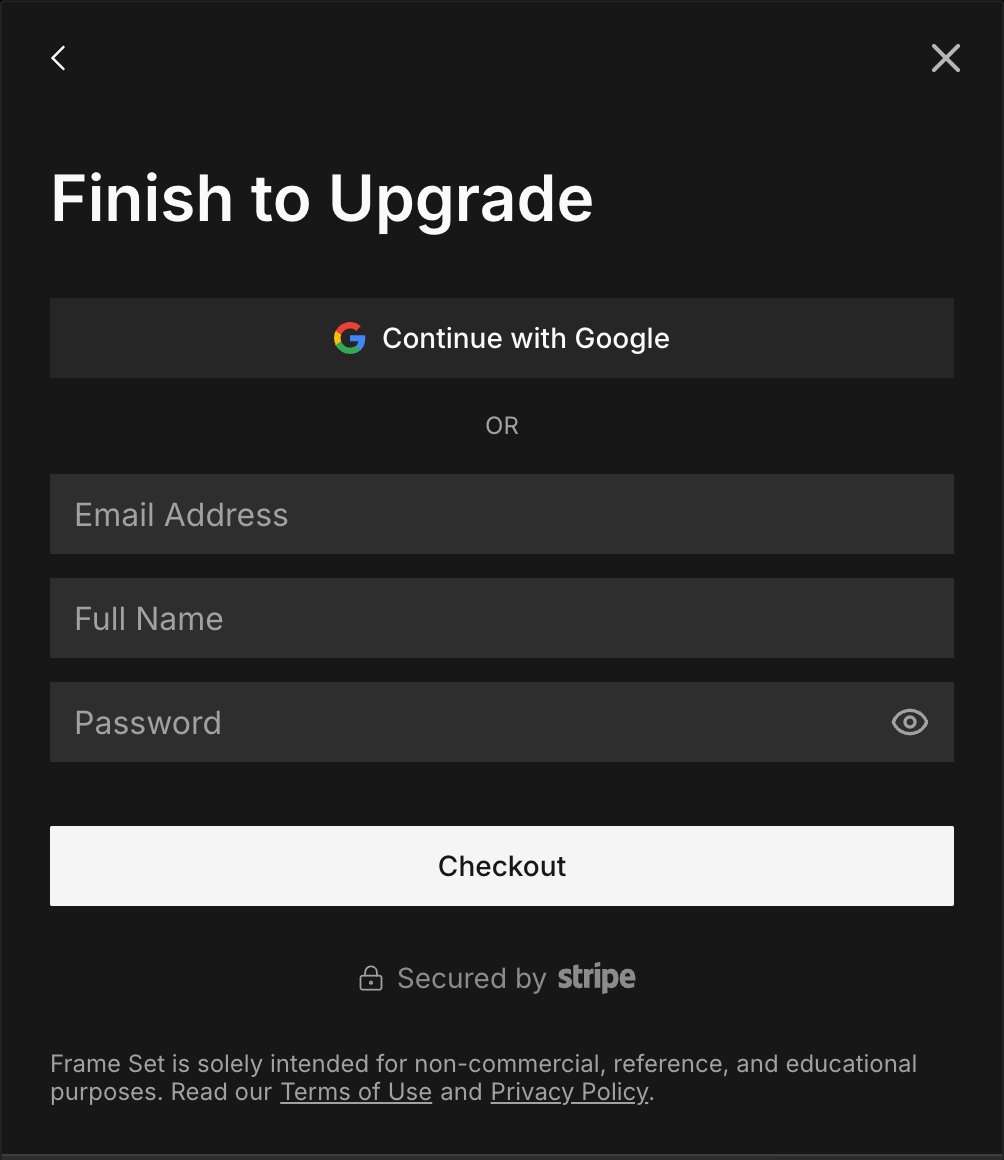
Create your account
- Sign up with Google or your email.
- Tap Checkout to go to payment.
3
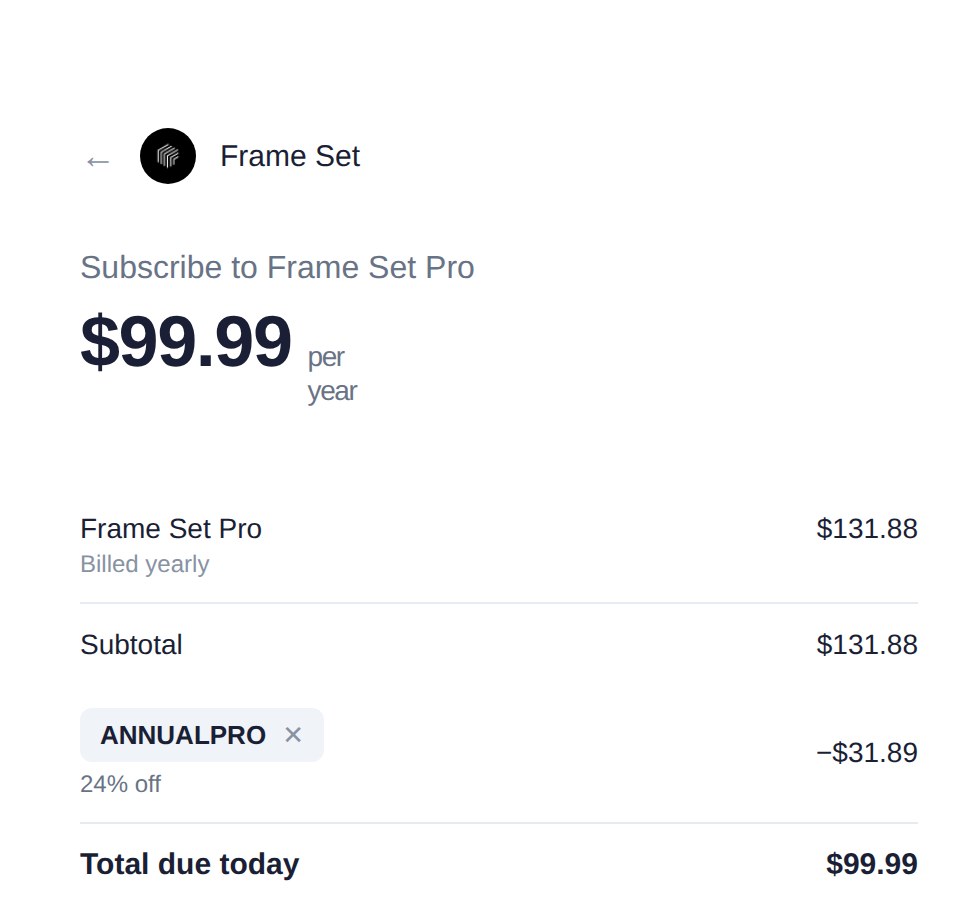
Paste your code at checkout
- Tap Add promotion code.
- Paste ANNUALPRO and tap Apply.
- Make sure the total is $99.99.
Questions
I don't see where to enter the code.
It's on the payment page, under the subtotal. Tap "Add promotion code".
The code isn't working.
Make sure you picked Pro Annual and typed ANNUALPRO with no spaces. Still stuck? Message us from the chat bubble.
I already have a free account.
Log in at frameset.app, click Upgrade, choose Pro and Annual, then paste ANNUALPRO at checkout.
Is Annual billed all at once?
Yes. You pay $99.99 today for the full year. That's about 3 months free compared to the regular Annual price of $131.88.
Can I use it on the Monthly plan?
Monthly has its own holiday code. Keep Monthly selected and use HOLIDAYPRO for $5.99 a month for your first 3 months.
Can I cancel anytime?
Yes. Cancel from your account settings whenever you want.
ANNUALPRO
Start upgrade →